
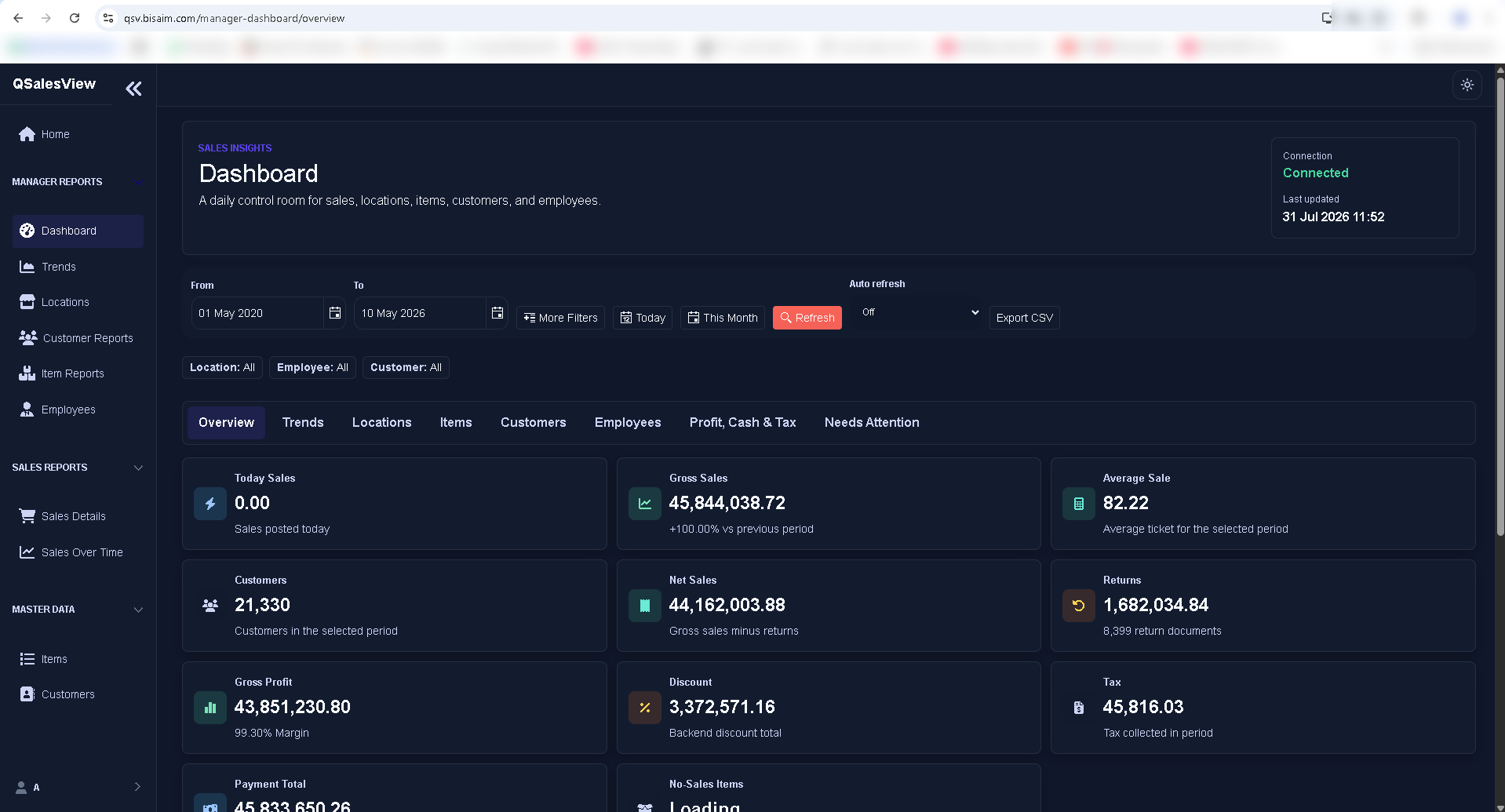
Management dashboard
Review the selected period through focused sales, customer, profit, return, discount, tax, and payment indicators.

QBM sales insight
QSalesView brings sales totals, trends, locations, items, customers, employees, and detailed sales movement together for authorized managers while company QBM data stays under customer control.
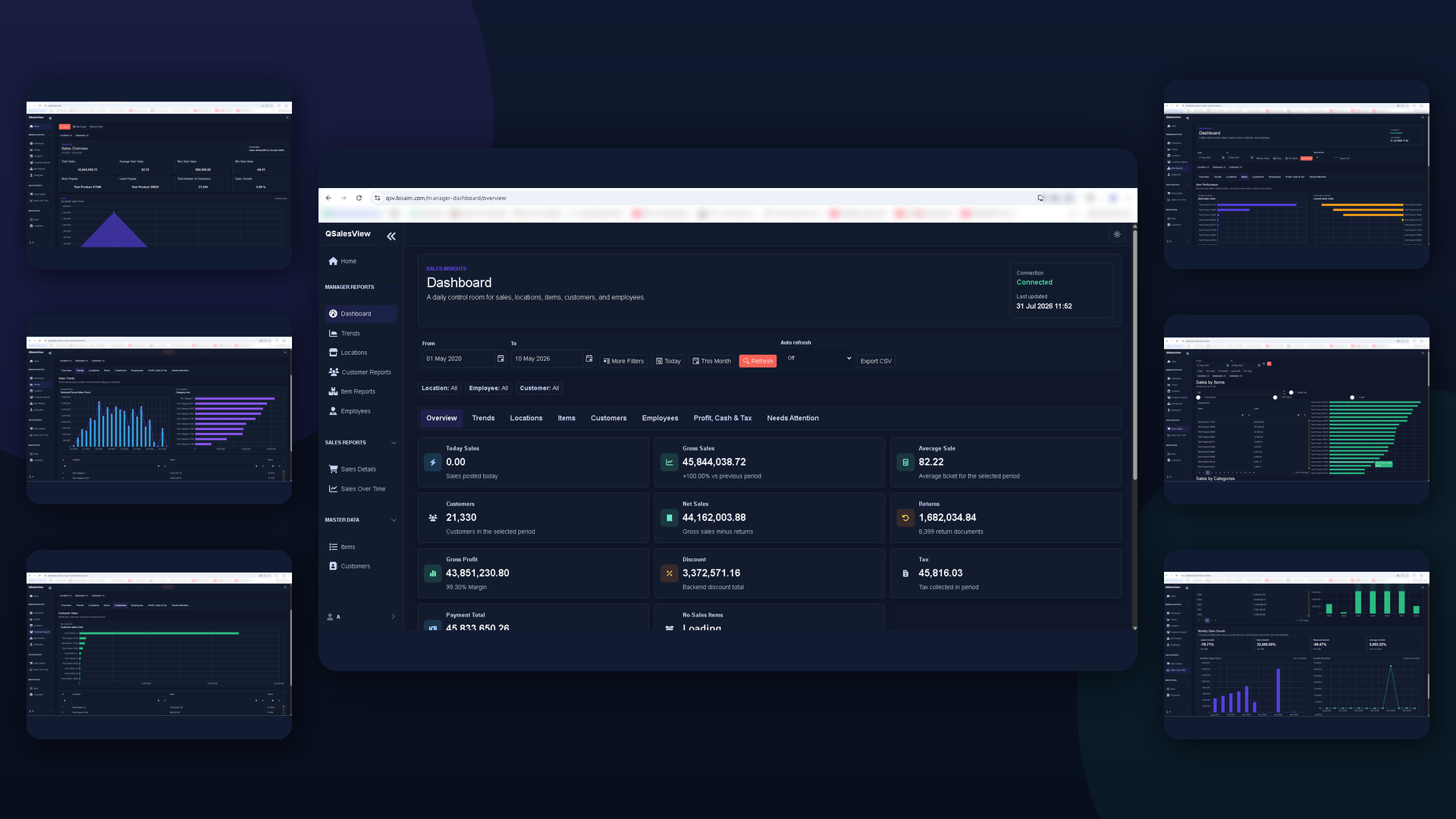
Real QSalesView screens
These real QSalesView pages show how authorized managers can move from headline sales figures to trends, customer and item performance, transaction detail, and historical movement.
Review the selected period through focused sales, customer, profit, return, discount, tax, and payment indicators.
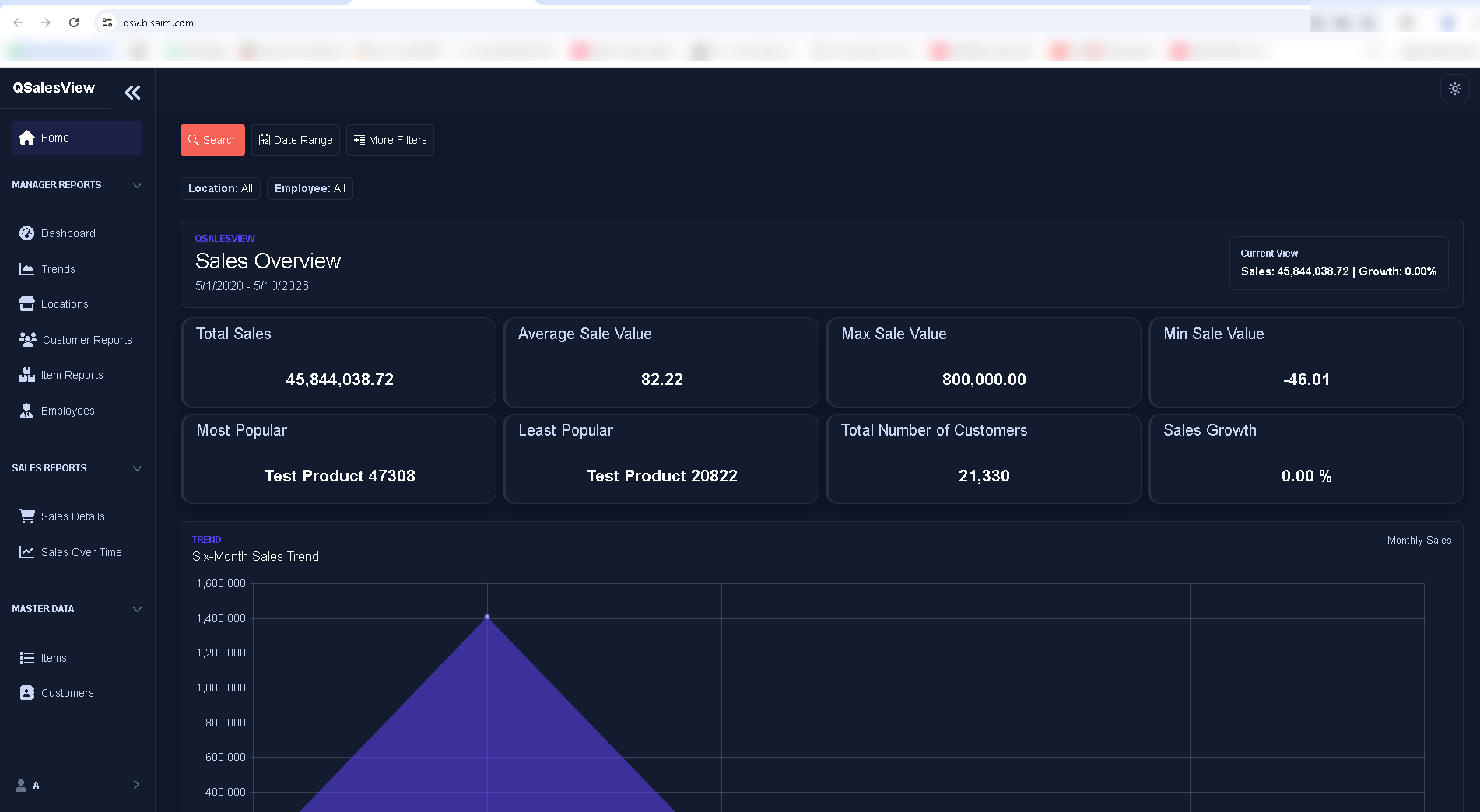
Start with total, average, highest, and lowest sales values, customer count, growth, popular items, and the six-month trend.
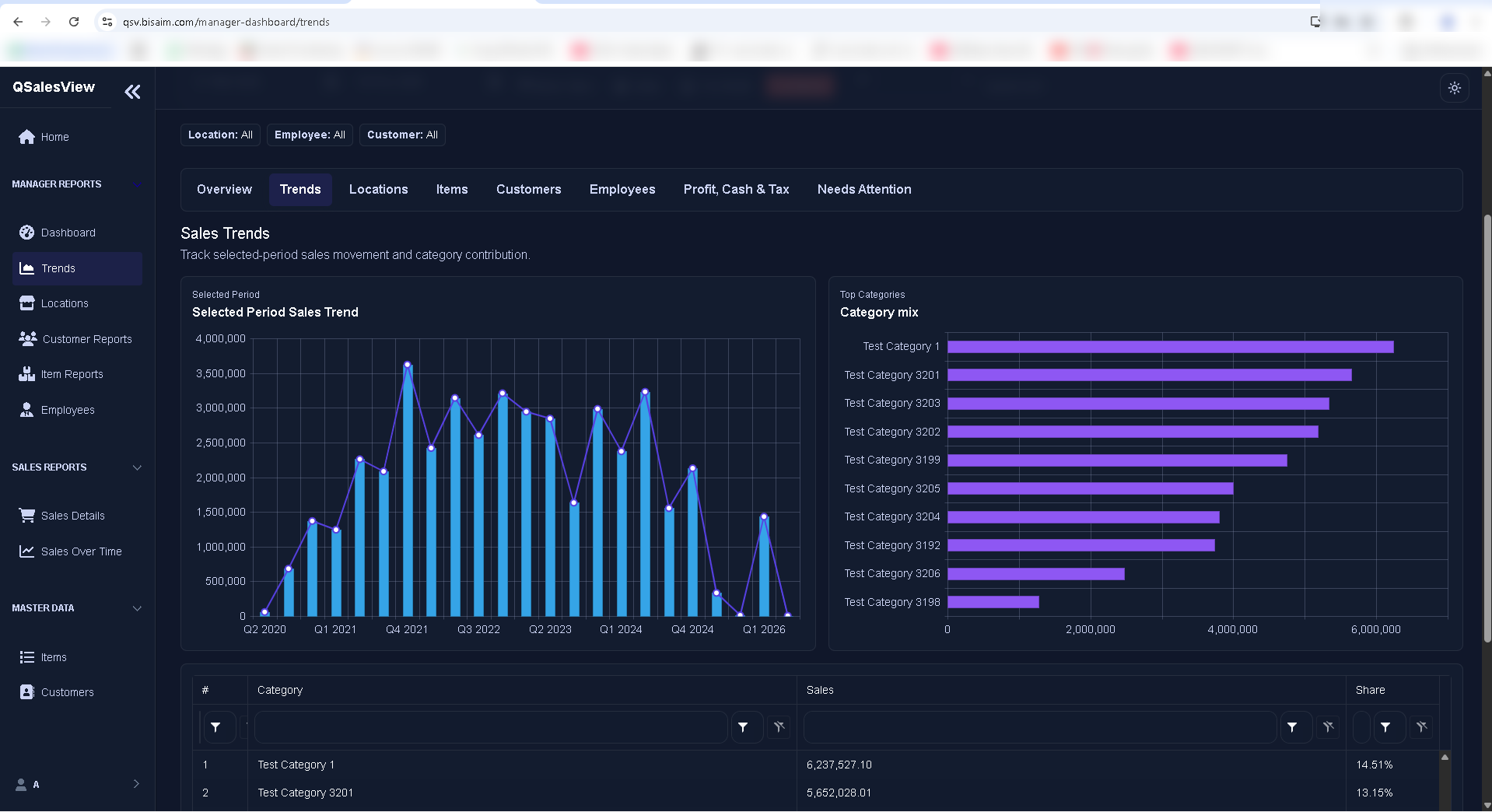
Track selected-period movement and compare the categories contributing most to sales.
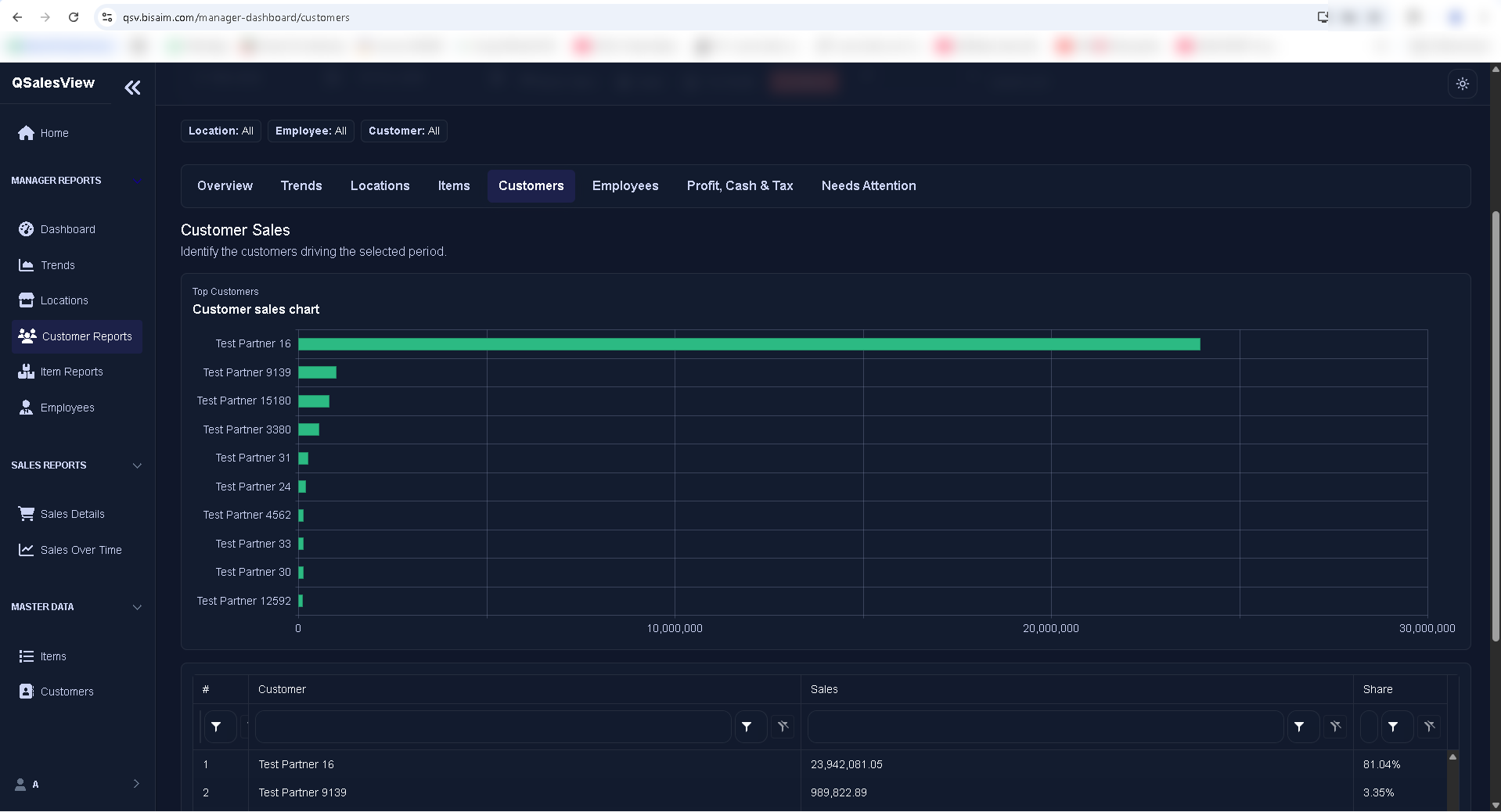
Identify the customers driving the selected period and compare each customer's sales contribution and share.
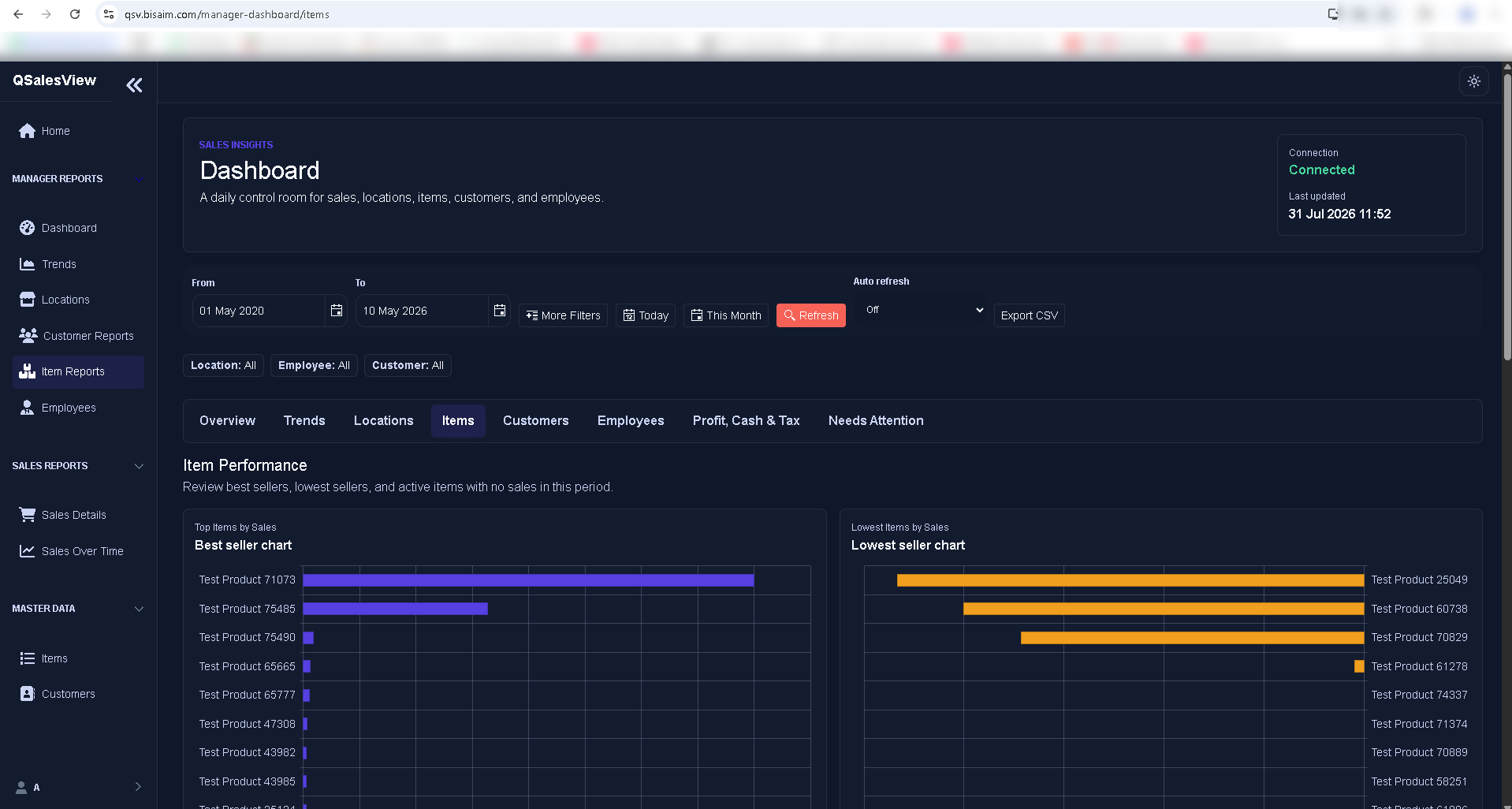
Compare best sellers and lowest sellers to see which items are leading and which need review.
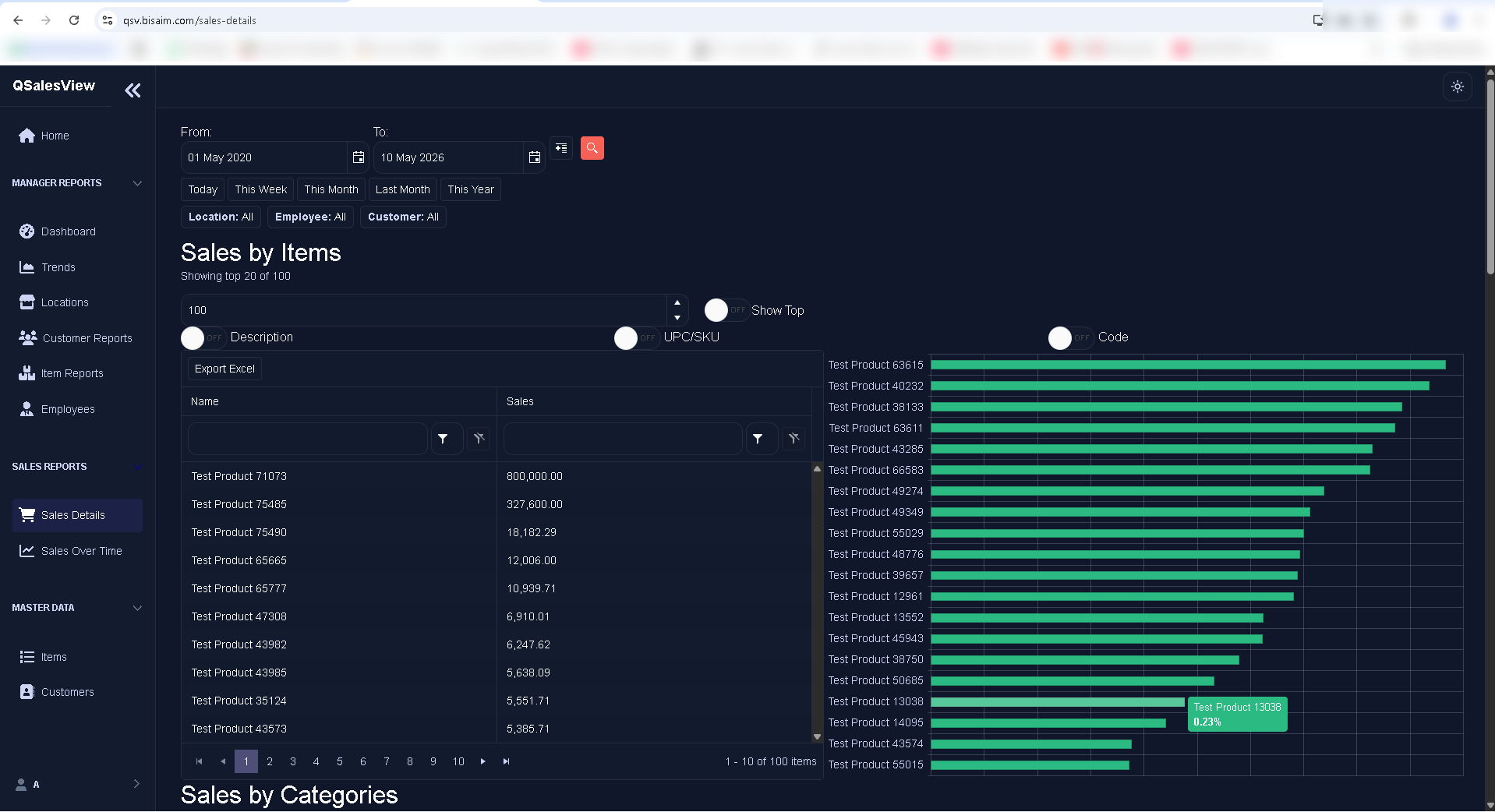
Rank item sales in a filterable detail view and compare the results visually before exporting when needed.
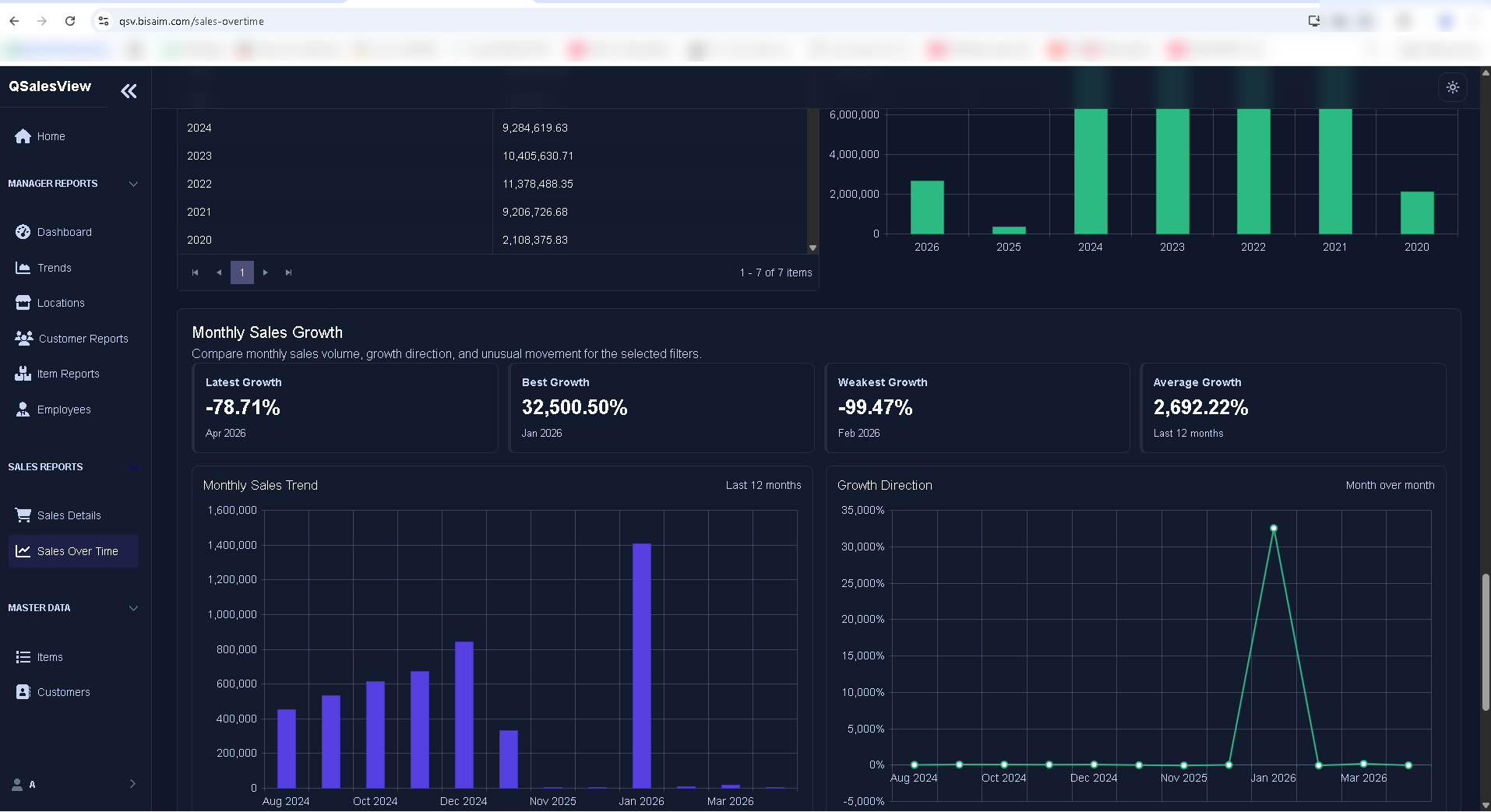
Compare annual totals, monthly sales, and growth direction to understand movement across longer periods.
These are real QSalesView application screens captured in a test environment. Names and figures shown are demonstration data, not customer information. Select any screen to open the full-size image.
Customer outcomes
Managers can check daily and selected-period totals from a browser when access is approved.
Review best items, weak items, branches, employees, and customers from focused dashboard views.
Mobile-friendly screens keep owners and managers close to business activity outside the office.
QSalesView is designed around customer-owned QBM data staying under the company's control.
What it does
QSalesView turns approved QBM sales information into browser dashboards, manager reports, filters, and mobile-friendly views for authorized users.
Owners, managers, sales supervisors, and authorized staff who need quick sales and performance visibility.
Full accounting entry, inventory maintenance, payroll, or replacing the main QBM desktop workflow.
Implementation and access details are configured for each customer by the Business Aim implementation team.
Your next step
Discover QBM’s business modules, arrange a demo, or find implementation guidance and support.