
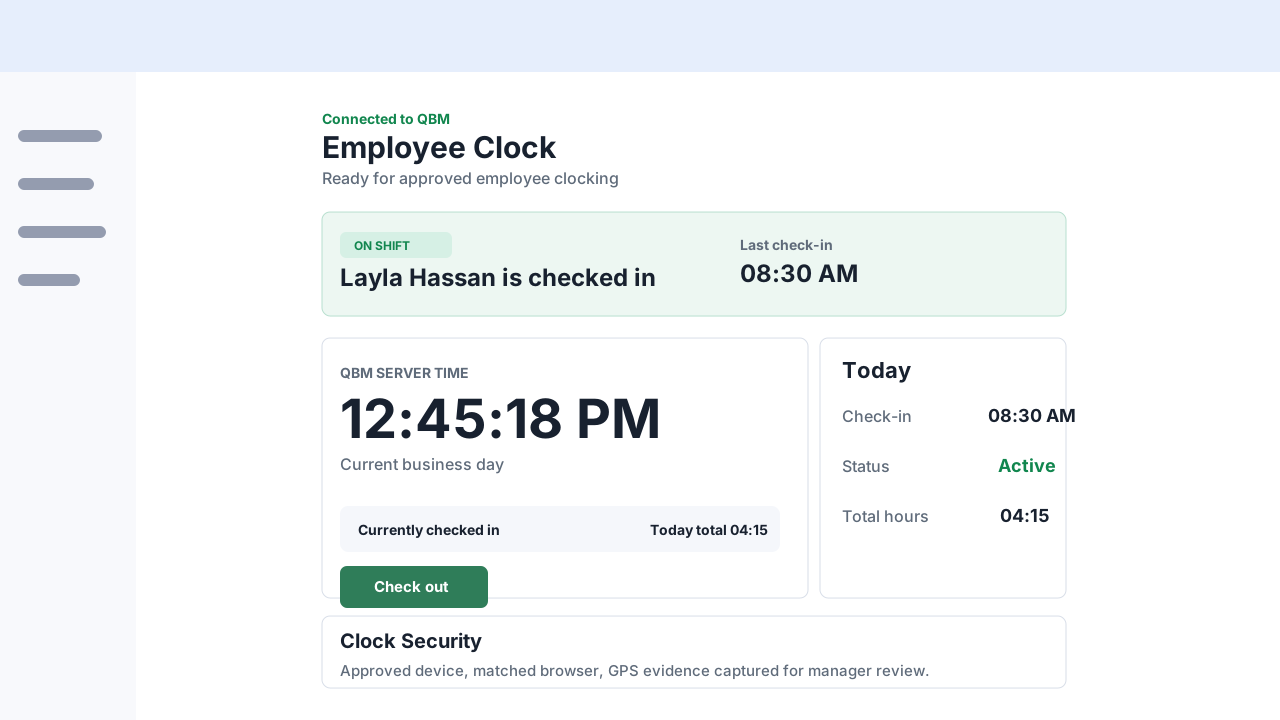
Employee clock home
Shows connection, QBM server time, current attendance state, today's totals, and device security.

QBM employee clocking
Employees use an approved browser, QClock shows QBM server time, and managers can review device, network, browser, and optional GPS context when configured.
Setup responsibility
QClock can record personal data such as IP address, browser/device details, identity evidence, and optional GPS results. Customers should review employee notices, consent needs, record-retention rules, and local employment law before enabling it.
QClock screens
Employees can clock from approved devices, and managers can review attendance evidence while the company keeps control of its QBM data.
Shows connection, QBM server time, current attendance state, today's totals, and device security.
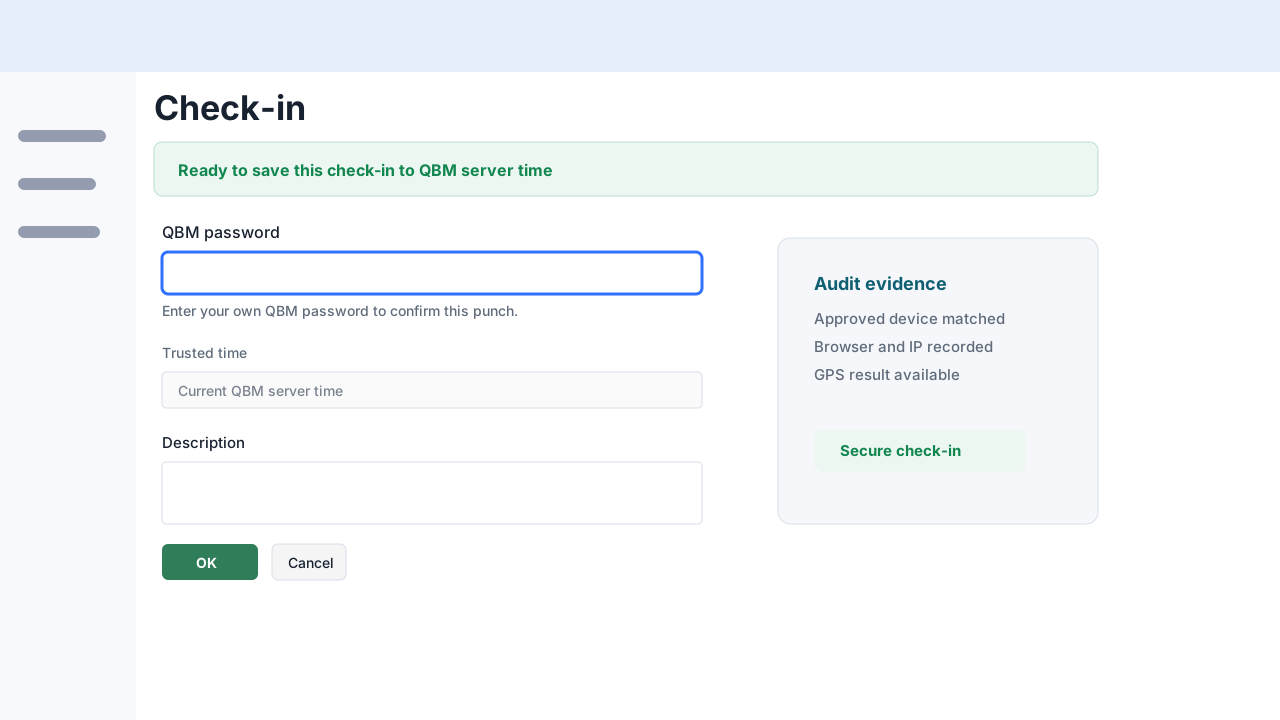
Employees confirm their own QBM password before a punch is saved.
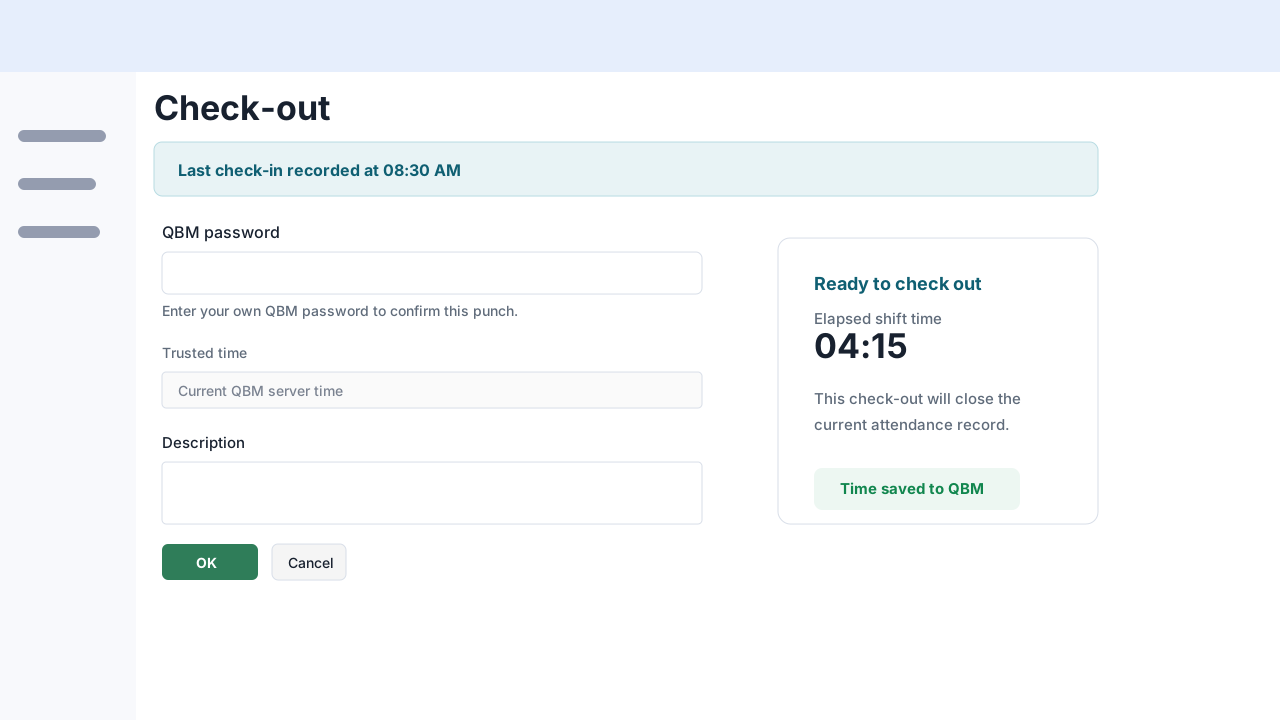
The same identity confirmation and QBM time flow applies when checking out.
What it does
QClock keeps the daily employee workflow direct: sign in, confirm the device, see QBM server time, add an optional note, and save a check-in or check-out action.
Audit evidence
Because QClock can record personal data, customers should use it only with the required employee notices, consent, and local employment-law review.
Before each punch is saved, the employee re-enters the active QBM password. The app confirms the punch identity against the authenticated QBM user.
QClock captures registered device details, server-seen IP, browser context, and warning flags so managers can review unusual activity.
Browser GPS can be tested and recorded as review evidence. It helps the manager, but it should still be treated as evidence, not absolute proof.
QClock FAQ
No. GPS is optional and should be enabled only when the customer has proper employee notice, consent where required, and a business reason.
Yes, when the company approves the device or browser and the final access setup supports that workflow.
Only authorized managers should review device, network, browser, identity, and optional location evidence.
QClock is for employee check-in, check-out, status, history, and attendance audit review. It is not a payroll, HR, scheduling, CRM, inventory, or accounting entry app.
Your next step
Discover QBM’s business modules, arrange a demo, or find implementation guidance and support.